Document Extraction
Convert uploaded documents into structured data.
Reducing repetitive document verification in onboarding workflows
A configurable validation module that extracts uploaded documents into structured data, compares them against submitted application values, and helps reviewers focus on cases that require review.
Convert uploaded documents into structured data.
Compare extracted values against submitted application data.
Support different documents and onboarding requirements.
Surface mismatches and exceptions for manual review.
Many compliance onboarding workflows require applicants to submit both structured form data and supporting documents.
Most systems treat uploaded documents as attachments. The information inside is never extracted or compared against what the applicant submitted. That gap is closed manually, by reviewers, one document at a time.
As document types and applicant volumes grow, the review burden scales with them.
Every document requires a full read, regardless of whether it matches.
Customer or applicant submitting documents across devices, typically on mobile.
Back-office reviewer, 7-8 hours daily verifying documents and overriding flagged values.
System administrator overseeing team performance and verification rule configuration.
 Account No.
Account Name
Account No.
Account Name
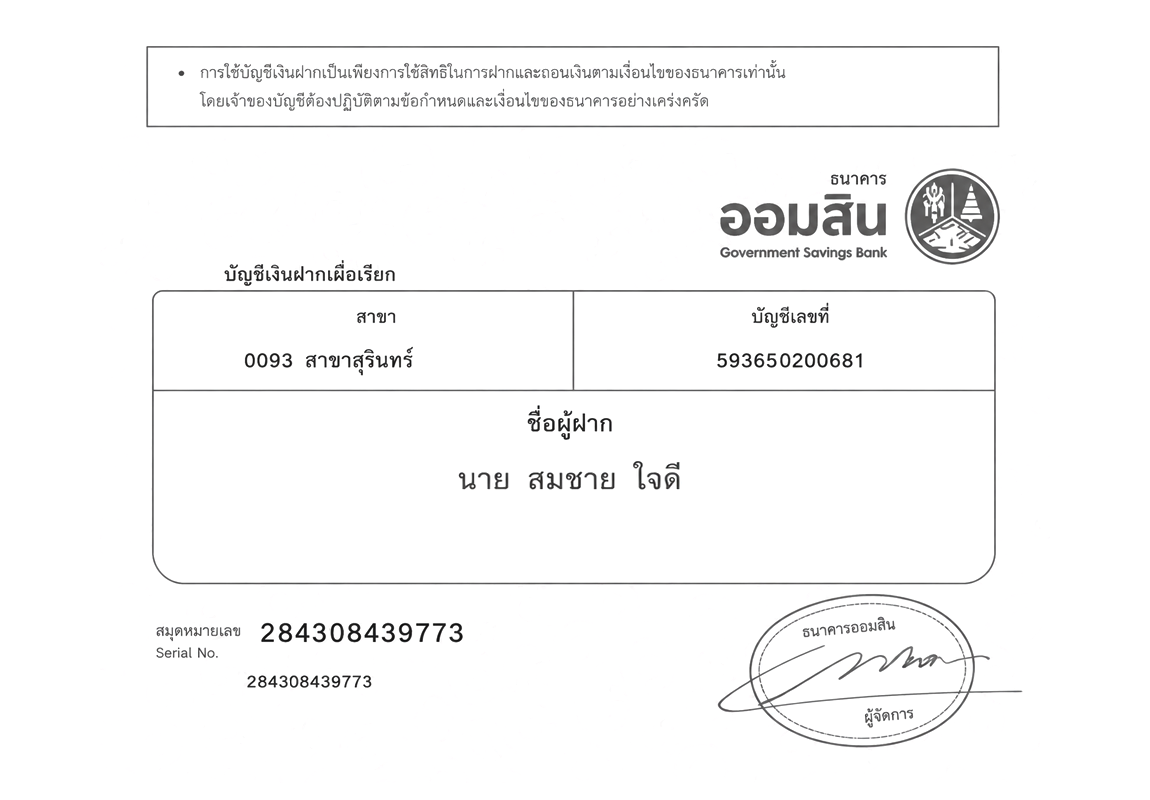 Account No.
Account Name
Account No.
Account Name
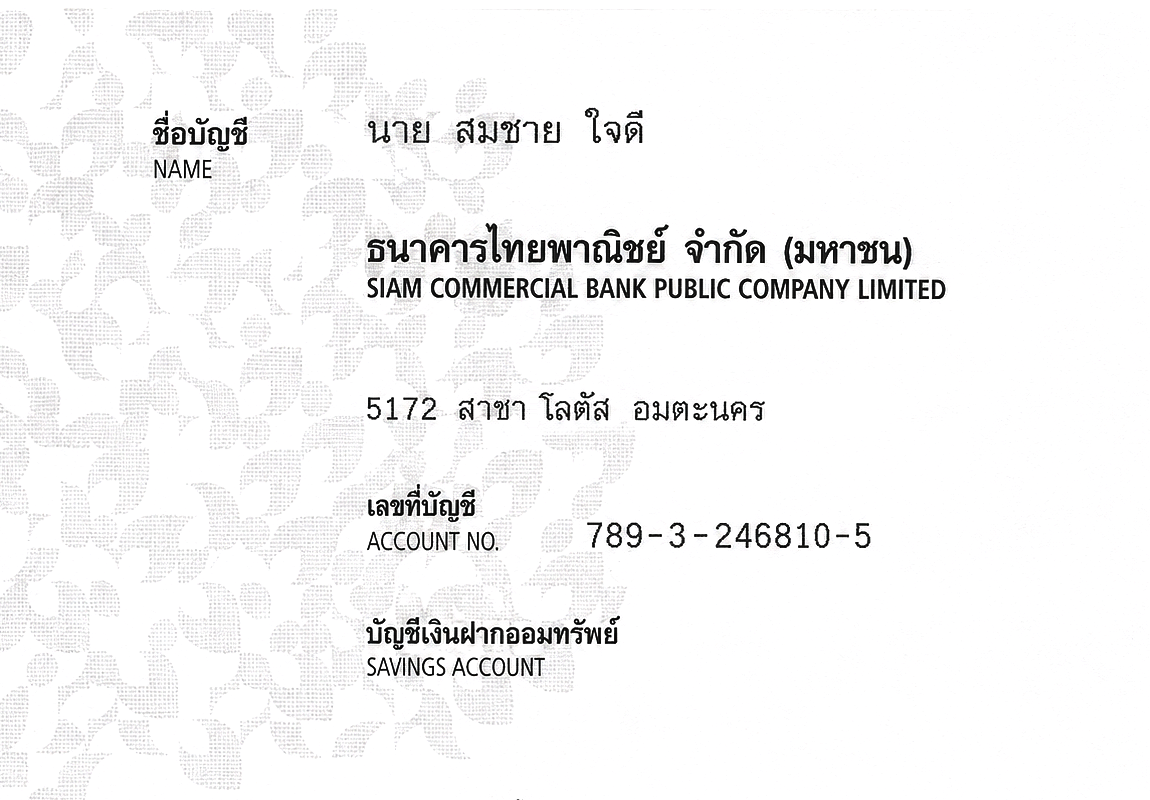 Account Name
Account No.
Account Name
Account No.
The same account name and account number appear in different positions depending on the document layout.
For the payment setup step, applicants upload a bank book as proof of account ownership. The reviewer must confirm that the account name, account number, and bank name on the document match what the applicant submitted in the form.
Each bank arranges this information differently. There is no consistent position to look at, so every document requires a full read.
The workflow operates consistently across document types and onboarding scenarios, reducing the amount of verification work that falls to reviewers.
The process begins when an applicant submits a supporting document through the onboarding form, either by uploading a file from their device or taking a photo on mobile.
Before anything is extracted, the system validates the file type and checks that the image meets minimum quality requirements. Applicants receive immediate feedback if the submission needs to be corrected, keeping unreadable or wrong-type files out of the review queue from the start.
What gets accepted here flows directly into extraction accuracy and reviewer workload. A clean upload reduces downstream mismatches; a poor one creates exceptions that fall to a human.
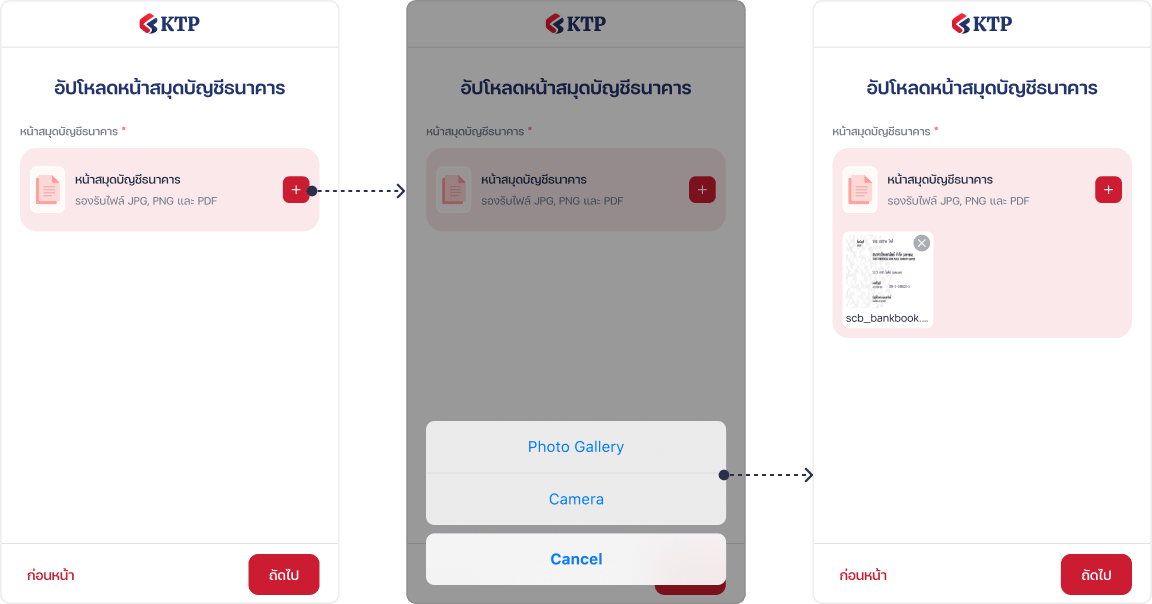
Before extraction begins, the system checks that the uploaded file matches the expected document type. Files that do not pass this check are flagged before any extraction is attempted.
Different formats may arrange the same information in different layouts, and the extraction layer normalises this so validation can compare across document types.
Extracted values can also be passed downstream to prefill forms, trigger decisions, or feed other systems.
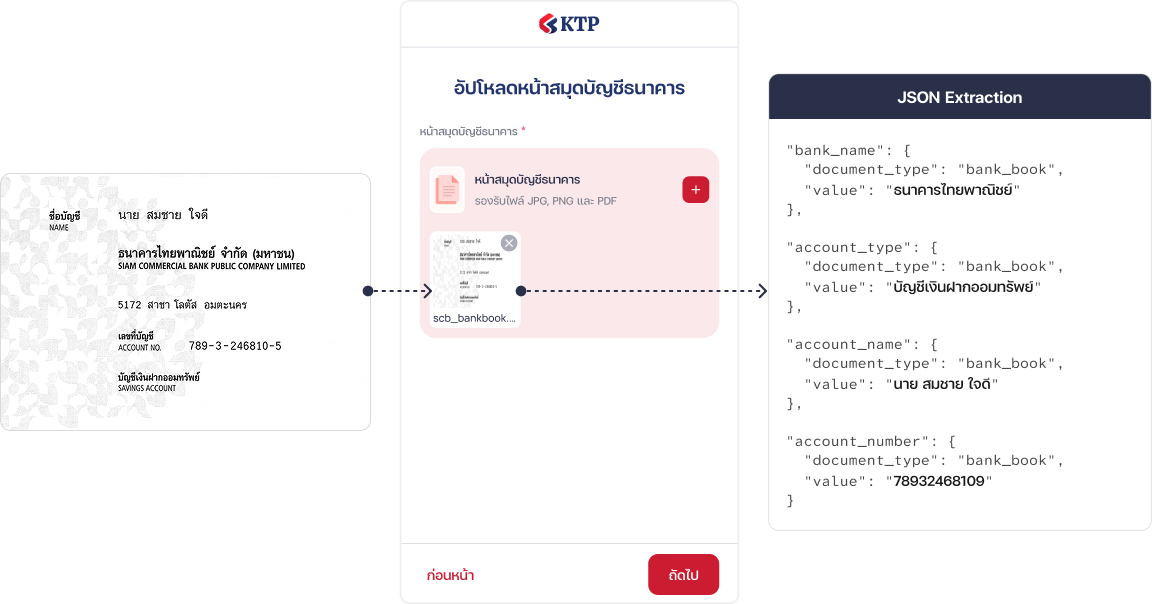

The uploaded bank book is processed through OCR, converting account name, account type, bank name, and account number into structured field values.
Extracted values are compared against what the applicant submitted in the application form. The system evaluates whether values match, differ, or are absent, and records a validation outcome for each field under review.
Extraction alone does not reduce manual work. Validation is the step that turns extracted information into an operational result.
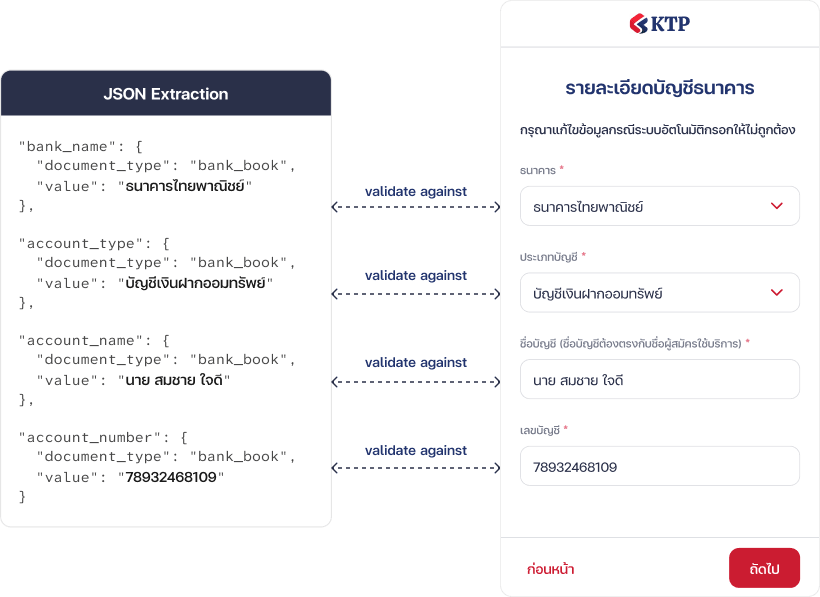
Each extracted field is mapped against its corresponding value in the submitted application form. The system evaluates them individually and records a match or mismatch outcome for each.
Reviewers do not need to inspect every uploaded document. The system identifies cases where values do not match, information is missing, extraction confidence is below threshold, or a situation falls outside automated criteria.
When a reviewer examines a flagged case, they can record a corrected value in the OPS Value column. Once saved, the field is marked as reviewed regardless of what the OCR or submitted data contained.
อัปโหลดหน้าสมุดบัญชีธนาคาร
The onboarding workflow does not change. Documents are still uploaded. But instead of requiring a reviewer to open each one and confirm what it contains, the system processes the document, compares the result against submitted data, and surfaces only the cases that need a human decision.
Each upload step is configured in two parts. First, teams define which keywords the document must contain to confirm it is the correct type. Then, they specify which fields to extract and which form answers to validate them against. The same engine supports any document type and onboarding scenario without custom code.